> ## Documentation Index
> Fetch the complete documentation index at: https://help.suggix.com/llms.txt
> Use this file to discover all available pages before exploring further.
# SSO Settings
> Configure Single Sign-On so users can access your Suggix portal through your existing authentication system.
By default, Suggix uses its own independent user authentication system. You can enable Single Sign-On (SSO) to provide a more seamless experience for users when submitting and managing feedback in Suggix.
Go to your Suggix [**Dashboard → Settings → Developer**](https://www.suggix.com/_/settings/developer) to locate your SSO private key.
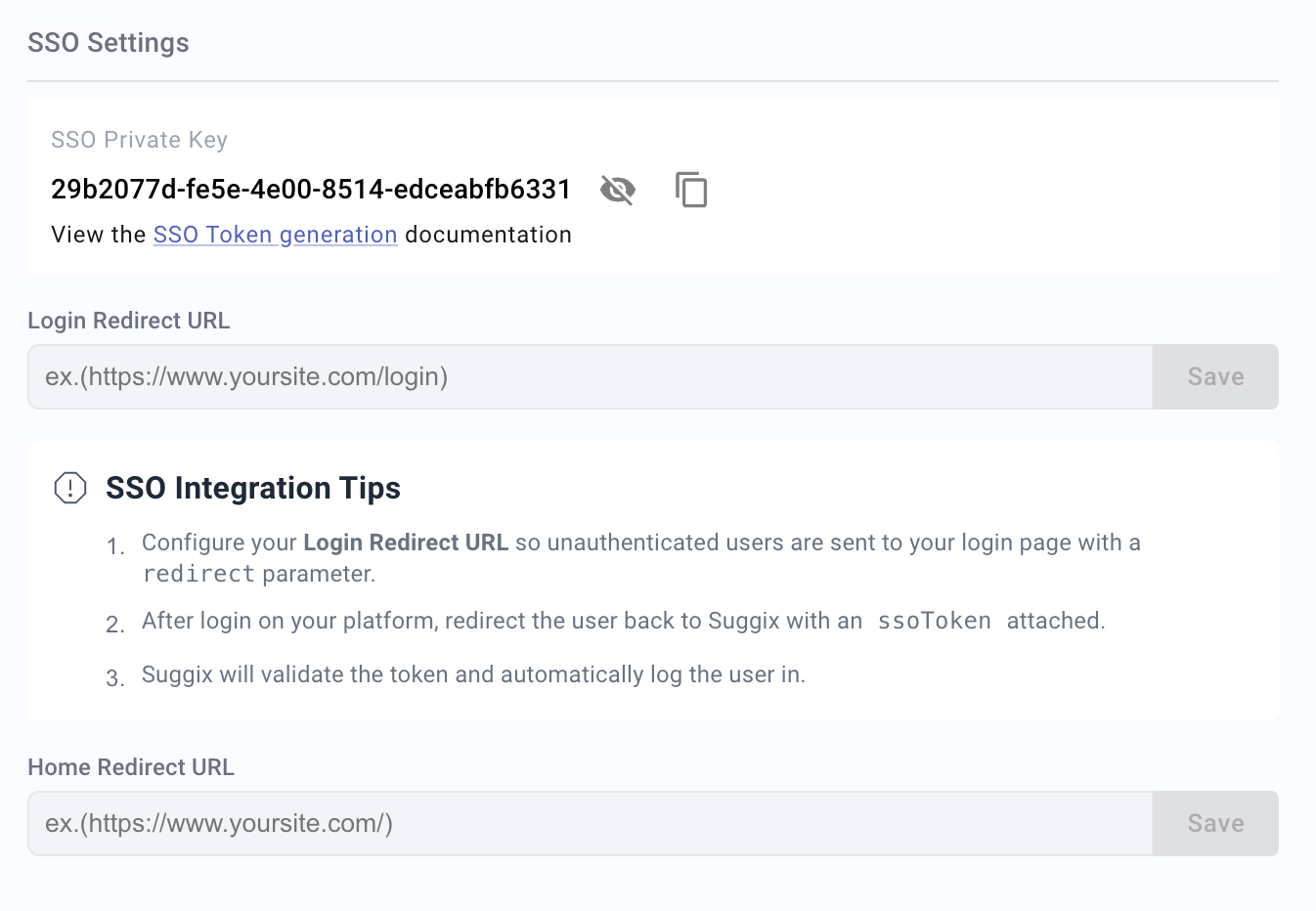 Store this key securely on your server. Never expose it in client-side code or share it publicly.
Generate a JWT on your server using your user data, following the example below.
[Generate the token on your server](/development/jwt)
Redirect the user to the Suggix portal and include the
Store this key securely on your server. Never expose it in client-side code or share it publicly.
Generate a JWT on your server using your user data, following the example below.
[Generate the token on your server](/development/jwt)
Redirect the user to the Suggix portal and include the ssoToken as a query parameter.
Suggix will automatically verify the token and sign the user in.
Example:\
[https://feedback.yourwebsite.com/?ssoToken=eyJhbGciOiJIUzI1NiJ9](https://feedback.yourwebsite.com/?ssoToken=eyJhbGciOiJIUzI1NiJ9)...
Configure the Login Redirect URL in the SSO Settings page to redirect users to your website for authentication when they are not logged in.
After configuring the Login Redirect URL, the login button in the Suggix portal will redirect users to the specified Login Redirect URL and include a return URL parameter.
Once the user has successfully signed in on your website, redirect them back to the Suggix feedback portal with the generated ssoToken.
Example:[https://yourwebsite.com/login?redirect=https://feedback.yourwebsite.com](https://yourwebsite.com/login?redirect=https://feedback.yourwebsite.com)
Configure the Home Redirect URL to allow users to quickly return to your website from the Suggix feedback portal.
## Required token fields
Your JWT payload must include:
| Field | Type | Description |
| ------- | ------ | ------------------ |
| `email` | string | User email address |
| `name` | string | User display name |
Optional fields:
| Field | Type | Description |
| ----------- | ------ | ------------------------------------ |
| `id` | string | Stable user ID from your application |
| `photo_url` | string | Public avatar URL |
Include a stable `id` when possible. It helps Suggix keep the same user identity even if a user's email address changes later.
## Redirect flow
1. A user clicks a feedback link in your product.
2. Your server verifies the user is signed in.
3. Your server generates an SSO token with the Suggix private key.
4. Your app redirects the user to the Suggix portal with `ssoToken`.
5. Suggix verifies the token and signs the user in.