> ## Documentation Index
> Fetch the complete documentation index at: https://help.suggix.com/llms.txt
> Use this file to discover all available pages before exploring further.
# Zapier API Overview
> Connect Suggix to Zapier to automate feedback and changelog workflows.
The Suggix Zapier API lets you use feedback activity in Zaps and send information from other apps into Suggix. Use the trigger endpoints to watch for new posts, new comments, and post status changes. Use the action endpoints to create a post or publish a changelog entry.
## API endpoint
All requests use the Suggix API base URL:
```text theme={null}
https://www.suggix.com/v1
```
The API returns JSON. Send `Content-Type: application/json` with requests that include a JSON body.
## Create an API key
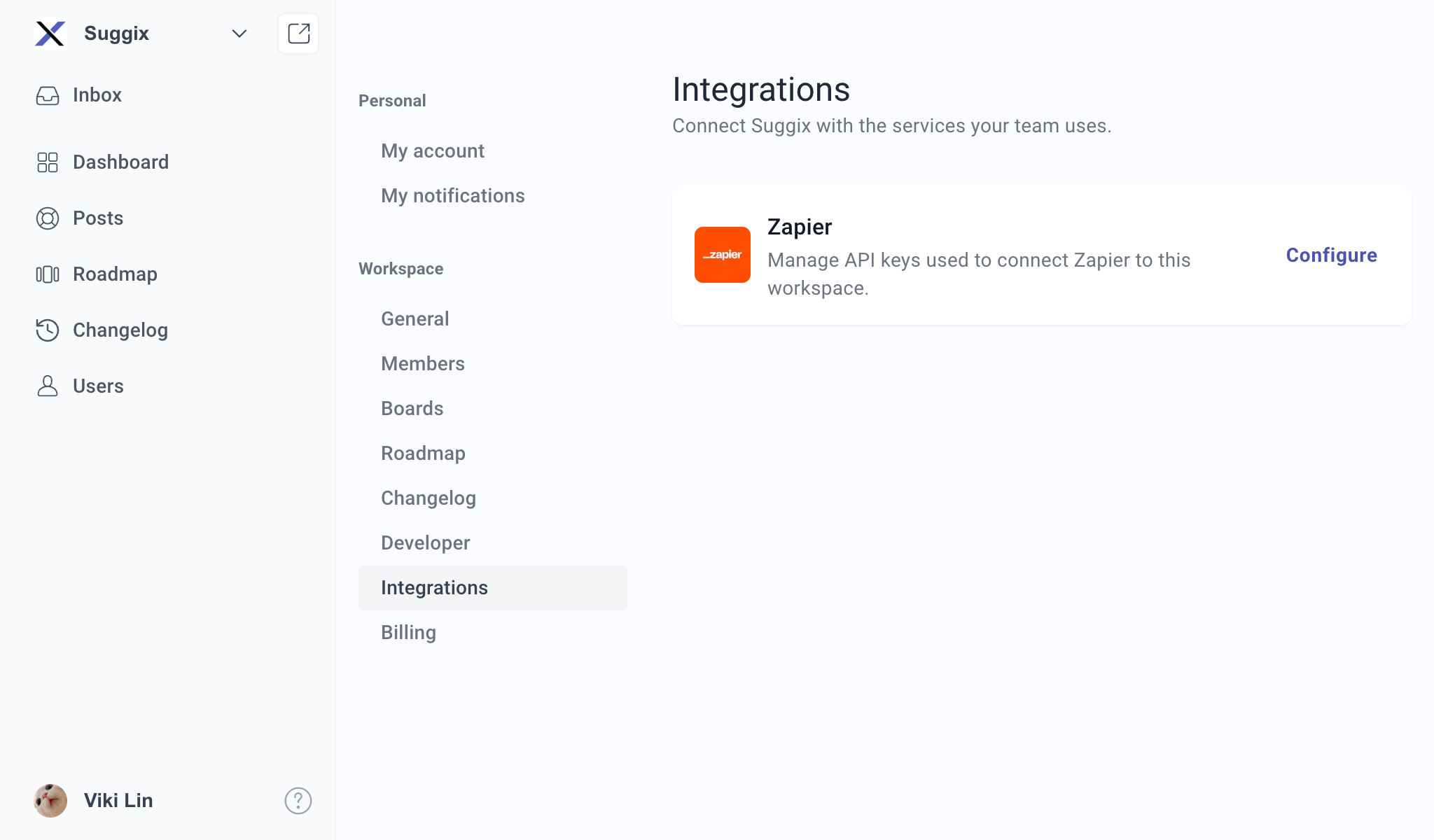
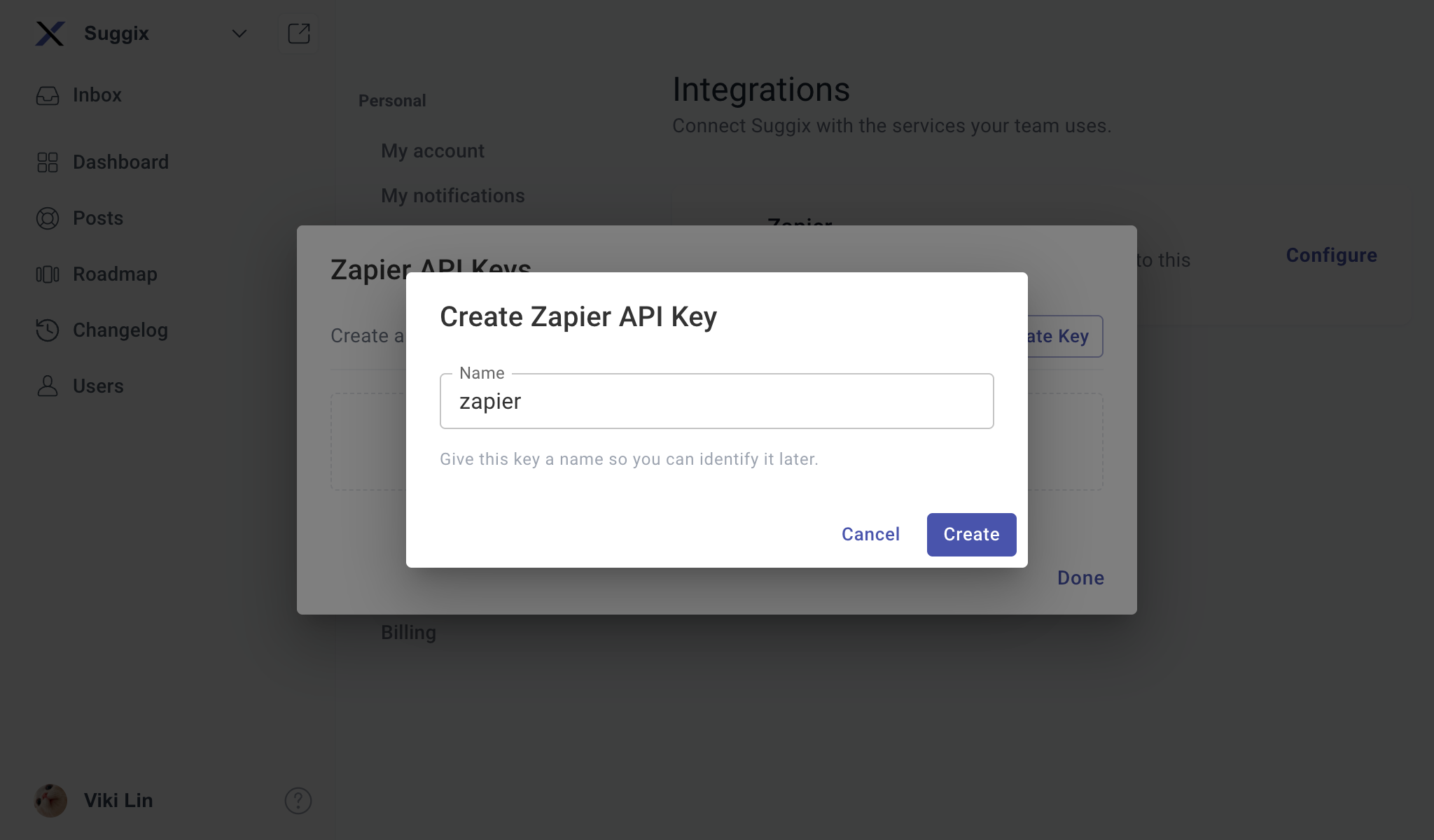
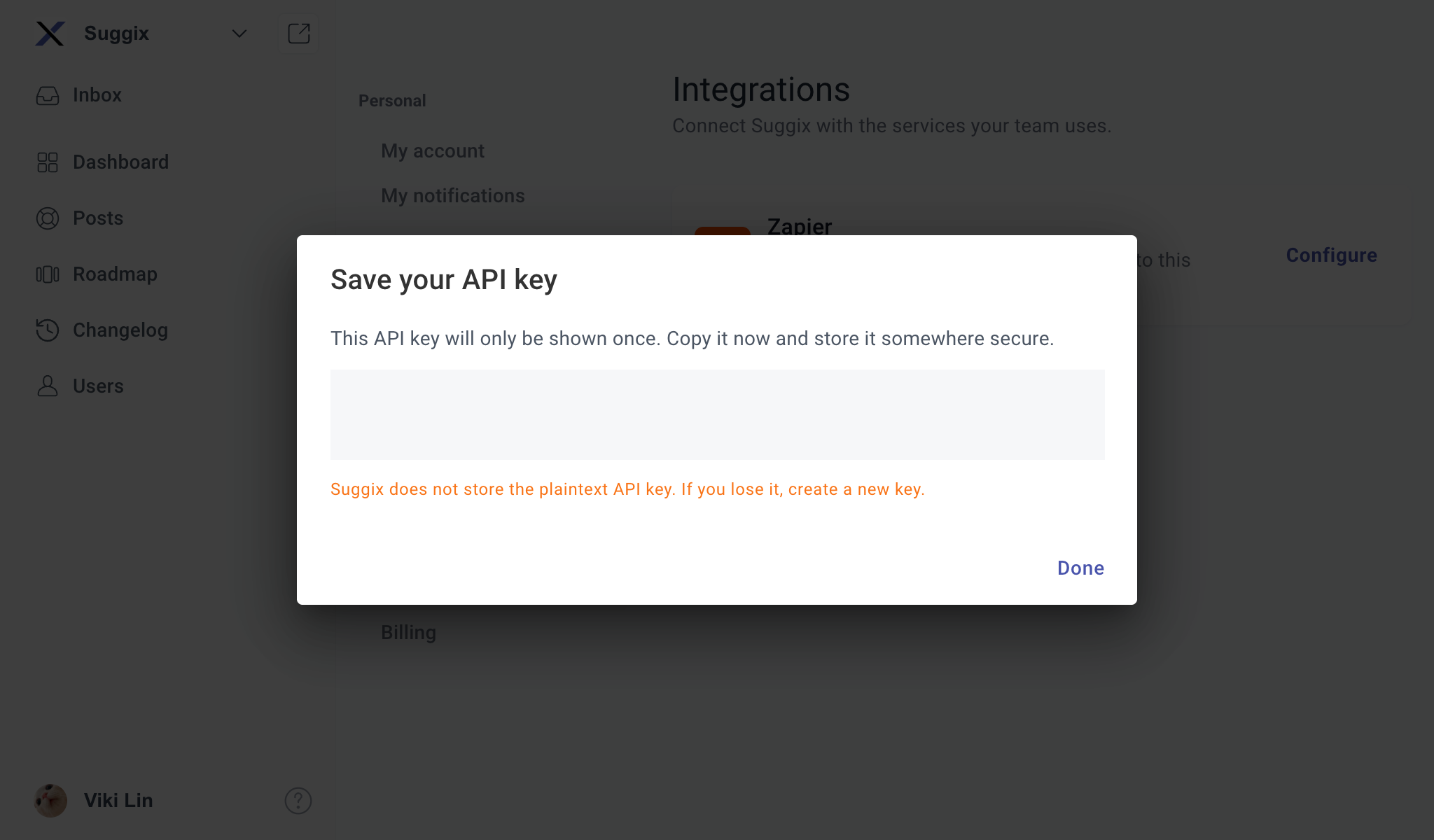
Open [Integrations](https://www.suggix.com/_/settings/integrations) in your Suggix workspace, choose **Zapier**, then select **Create Key**. Enter a name to identify the connection, create the key, and copy it to a secure place. The key begins with `sgx_api_`.
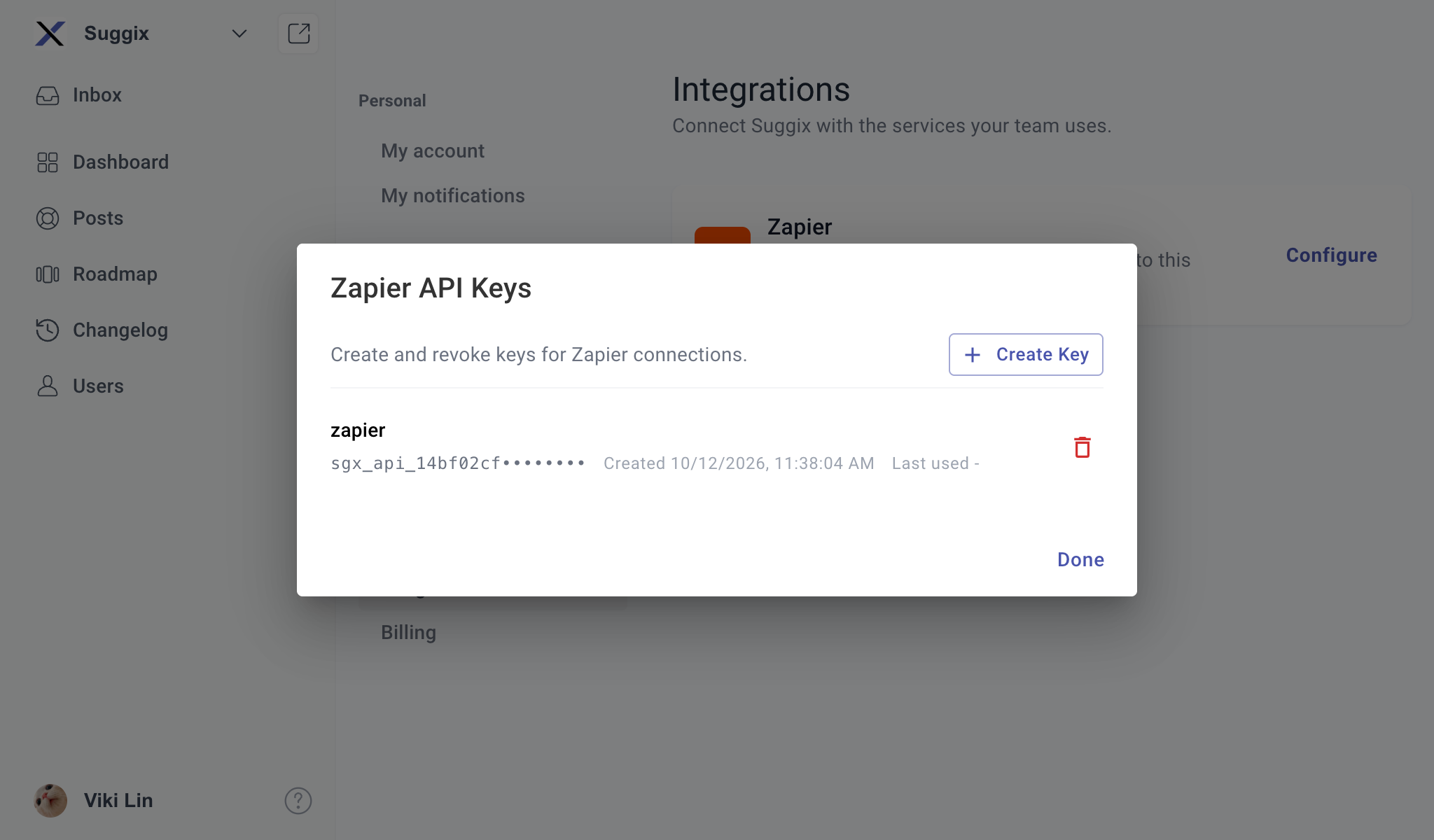
 After creation, the key list shows its name, masked prefix, creation time, and last-used time. You can revoke keys you no longer need.
 Suggix shows the full API key only once. The key is a credential for its workspace: keep it private and store it securely. If it is lost, create a replacement key.
## Authenticate requests
Send the key as a Bearer token in the `Authorization` header. `X-API-Key` is also accepted.
```http theme={null}
Authorization: Bearer sgx_api_your_key
```
```bash theme={null}
curl "https://www.suggix.com/v1/triggers/new-posts?limit=10" \
-H "Authorization: Bearer sgx_api_your_key"
```
An absent, invalid, or revoked key returns `401 Unauthorized` with an `error` message.
## Available endpoints
| Endpoint | Use in Zapier |
| - | - |
| [`GET /triggers/new-posts`](/zapier/triggers-new-posts) | Trigger when new feedback posts are created. |
| [`GET /triggers/new-comments`](/zapier/triggers-new-comments) | Trigger when new comments are added. |
| [`GET /triggers/post-status-changes`](/zapier/triggers-post-status-changes) | Trigger when a post changes status. |
| [`POST /posts`](/zapier/create-post) | Create a feedback post from another app. |
| [`POST /changelogs`](/zapier/create-changelog) | Publish a changelog entry from another app. |
## Trigger polling and results
The trigger endpoints return a JSON array, ordered newest first. Each endpoint checks records from the last 30 days and returns at most 100 items. The optional `limit` query parameter can request between 1 and 100 items; if omitted or outside that range, the API uses 100. An empty result is `[]`.
To build a Zap, select Suggix as the trigger or action app and use the endpoint's fields when configuring the step. For a custom API request step, use the base URL and authentication header above. The trigger endpoints accept optional filters described on their individual pages.
## Common errors
| HTTP status | Meaning |
| - | - |
| `400 Bad Request` | An invalid query value, request body, or business rule (for example, an unknown board). The response contains an `error` string. |
| `401 Unauthorized` | The API key is missing, invalid, revoked, or no longer belongs to a workspace member. |
| `404 Not Found` | A requested record could not be found. |
This documentation is built and hosted on [Mintlify](https://mintlify.com), a developer documentation platform.
Suggix shows the full API key only once. The key is a credential for its workspace: keep it private and store it securely. If it is lost, create a replacement key.
## Authenticate requests
Send the key as a Bearer token in the `Authorization` header. `X-API-Key` is also accepted.
```http theme={null}
Authorization: Bearer sgx_api_your_key
```
```bash theme={null}
curl "https://www.suggix.com/v1/triggers/new-posts?limit=10" \
-H "Authorization: Bearer sgx_api_your_key"
```
An absent, invalid, or revoked key returns `401 Unauthorized` with an `error` message.
## Available endpoints
| Endpoint | Use in Zapier |
| - | - |
| [`GET /triggers/new-posts`](/zapier/triggers-new-posts) | Trigger when new feedback posts are created. |
| [`GET /triggers/new-comments`](/zapier/triggers-new-comments) | Trigger when new comments are added. |
| [`GET /triggers/post-status-changes`](/zapier/triggers-post-status-changes) | Trigger when a post changes status. |
| [`POST /posts`](/zapier/create-post) | Create a feedback post from another app. |
| [`POST /changelogs`](/zapier/create-changelog) | Publish a changelog entry from another app. |
## Trigger polling and results
The trigger endpoints return a JSON array, ordered newest first. Each endpoint checks records from the last 30 days and returns at most 100 items. The optional `limit` query parameter can request between 1 and 100 items; if omitted or outside that range, the API uses 100. An empty result is `[]`.
To build a Zap, select Suggix as the trigger or action app and use the endpoint's fields when configuring the step. For a custom API request step, use the base URL and authentication header above. The trigger endpoints accept optional filters described on their individual pages.
## Common errors
| HTTP status | Meaning |
| - | - |
| `400 Bad Request` | An invalid query value, request body, or business rule (for example, an unknown board). The response contains an `error` string. |
| `401 Unauthorized` | The API key is missing, invalid, revoked, or no longer belongs to a workspace member. |
| `404 Not Found` | A requested record could not be found. |
This documentation is built and hosted on [Mintlify](https://mintlify.com), a developer documentation platform.